TitanVPN for Android: VPN and Proxy Browser Focused on Privacy
TitanVPN: Secure Proxy Browser by Kaizo Innovation is an Android utility designed to protect mobile internet sessions and conceal IP addresses for privacy. The tool operates as both a VPN and a proxy browser to help users access region-restricted content while connected to public or private networks. Its design emphasizes quick connection controls, a global proxy network, and encryption for Wi‑Fi and mobile data. It targets Android users who need private browsing and reliable access to geo-blocked services on the move.
How the app combines system-wide VPN and a proxy browser
TitanVPN presents itself as a dual-function utility, offering both device-level tunneling and a browser-focused proxy mode. The developer positions the app to handle full traffic encryption and also provide a proxy browsing pathway for bypassing regional restrictions. This duality permits either blanket protection across installed apps or selective proxy browsing, which suits users who sometimes need system-wide privacy and sometimes only browser-level access.
Does TitanVPN affect mobile connection speed or latency?
TitanVPN uses a network of high-speed proxy servers and the developer notes optimization for Wi‑Fi and mobile networks. That setup is intended to reduce latency during browsing and streaming. Network performance still depends on server choice and cellular conditions, so users may experience variation by region and by the specific endpoint selected from the server list.
Is TitanVPN safe to use on public Wi‑Fi?
TitanVPN creates a secure tunnel for device traffic and implements advanced encryption protocols to protect data from potential hackers or snoopers on unsecured networks. The app masks the device IP address and requires standard network permissions plus VPN configuration access to operate, which are typical for apps that establish system-level tunnels.
Can non-technical users operate TitanVPN without setup hassles?
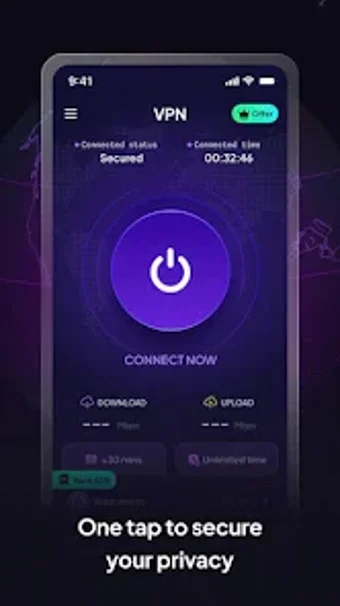
TitanVPN offers one-tap connection and automatic selection of an available server for immediate use, while also allowing manual country selection for users needing a specific virtual location. The app requires no registration for basic privacy features, and user feedback on distribution channels highlights ease of use. Specific Android version requirements vary by device, so some users should check compatibility before installation.
TitanVPN is a practical choice for mobile privacy and geo-access
TitanVPN is a practical option for Android users who need on-the-go privacy and the ability to access region-restricted content; a clear limitation is platform scope, since it targets Android devices and has variable version requirements. For anyone concerned about public Wi‑Fi exposure, the app performs reliably as a mobile privacy tool while requiring standard VPN configuration permissions.
Pros
Dual-mode: system-wide VPN plus secure proxy browser
One-tap connection and automatic server selection
No-registration access to basic privacy features
Optimized for both Wi‑Fi and mobile networks
Cons
Android-only support; no desktop clients available
Requires VPN configuration and standard network permissions
Specific Android version requirements vary by device
Laws concerning the use of this software vary from country to country. We do not encourage or condone the use of this program if it is in violation of these laws. Softonic may receive a referral fee if you click or buy any of the products featured here.